 Daylet
Every way to put a Daylet booking page in front of guests
An iframe on an existing page, a floating button, a standalone booking page on daylet.com or your own domain, or a REST API for a fully custom flow. Pick one, mix a few, or use all five.
Free for 5 bookings a year • No commission, ever • Live in minutes
Which integration fits your site?
Every option below reads from the same calendar, pricing, and booking dashboard — switch or combine them any time.
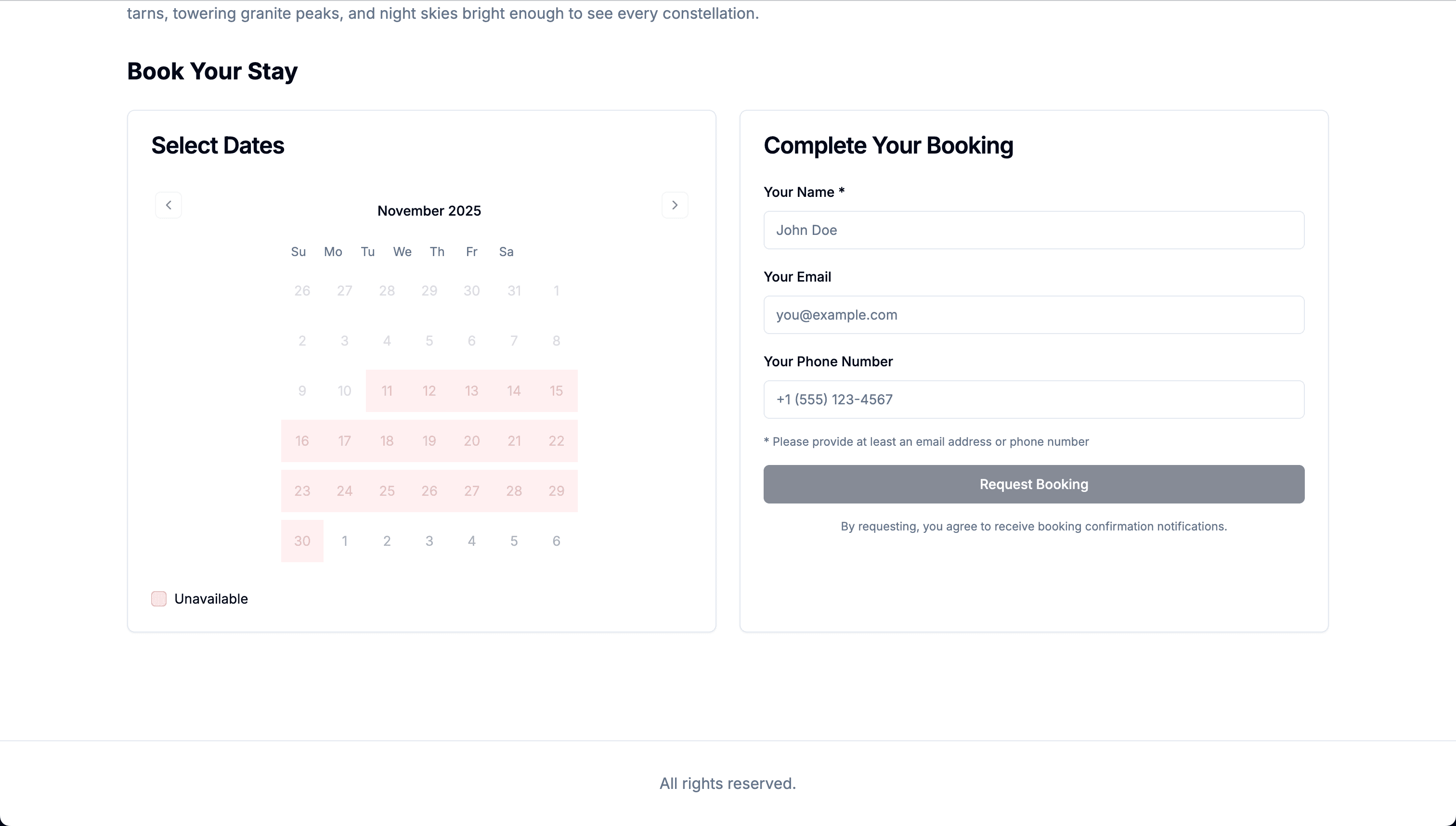
Booking iframe widget
Paste one script tag and the booking calendar appears directly on a page of your existing website — dates, guest details, and confirmation, all inline.
- Works inside WordPress, Wix, Squarespace, Webflow, or hand-built HTML
- Guests never leave your page to book
- Resizes automatically to fit its container
Best for: an existing website with a page to spare for the calendar
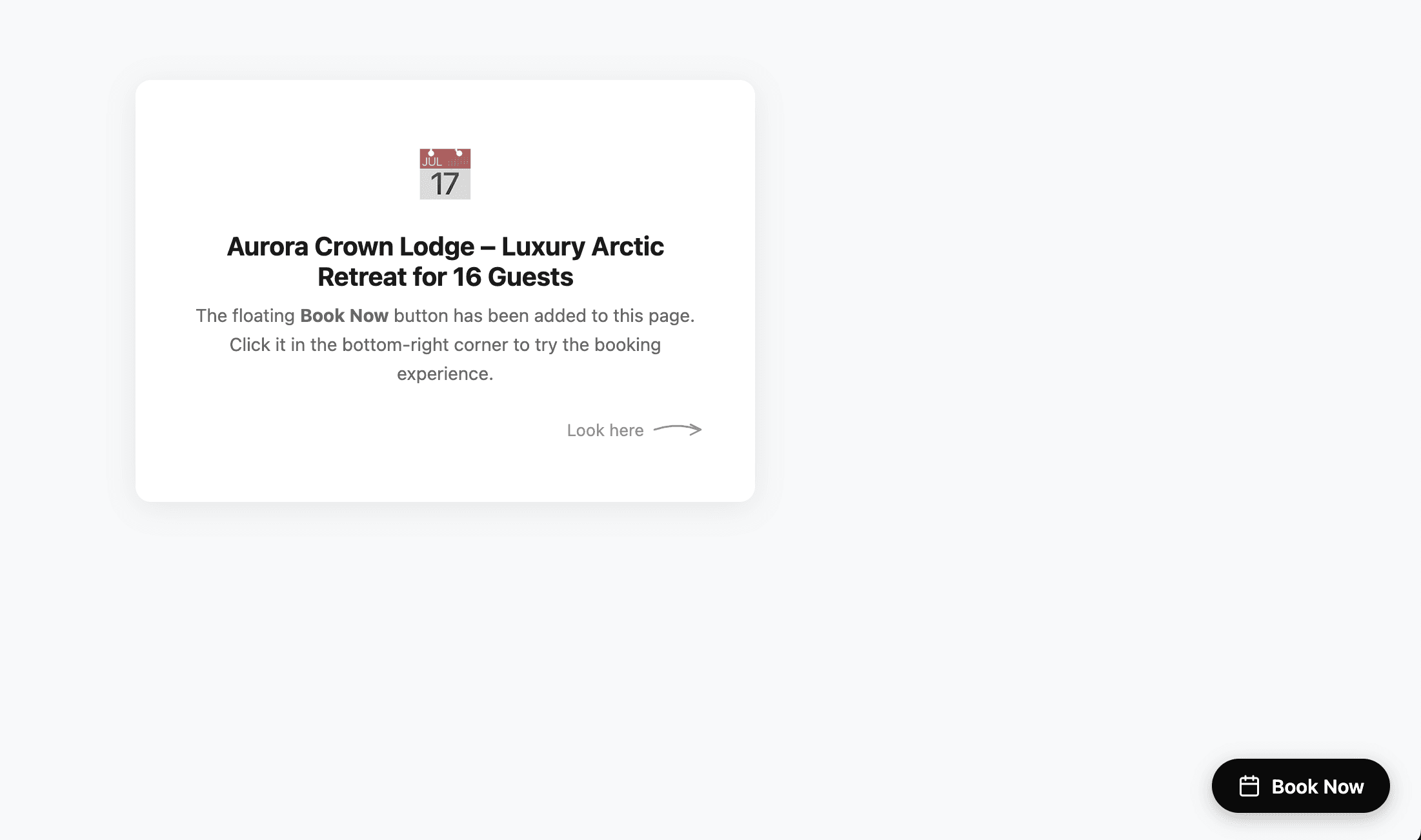
Floating button
Add a single script tag and a 'Book Now' button appears in the corner of every page, opening the booking calendar in a full-screen overlay when clicked.
- Doesn't change your existing page layout
- Follows guests as they browse your site
- Same one-tag setup as the iframe, different placement
Best for: adding booking to a site without touching its design
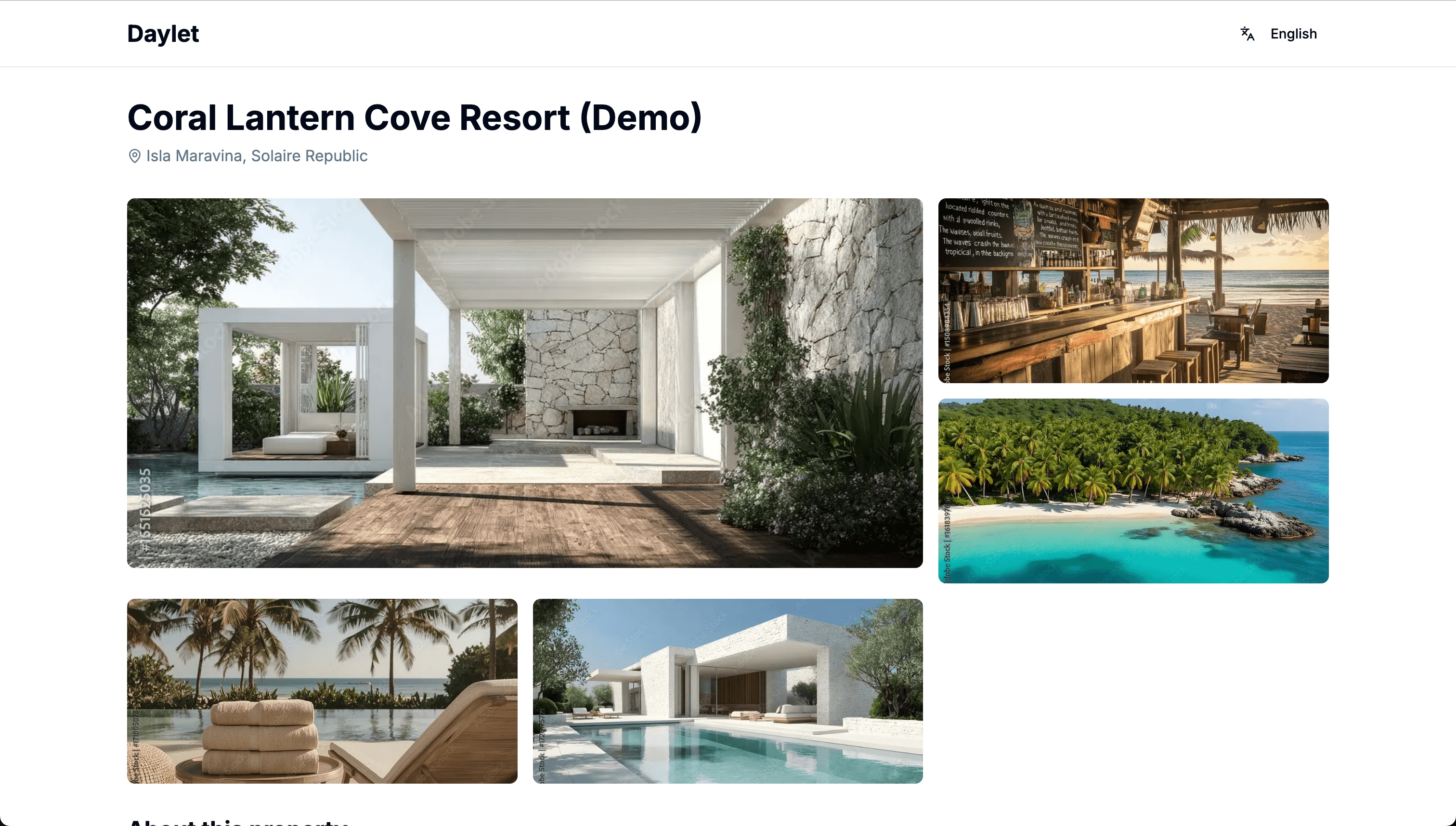
Public page on daylet.com
Every property gets a standalone booking page at daylet.com/properties/your-slug — ready the moment you publish, no website needed at all.
- Share the link by email, WhatsApp, or social media
- Photos, pricing, availability, and checkout, all on one page
- Works even if you never build a website
Best for: owners without a website who want to start taking bookings today
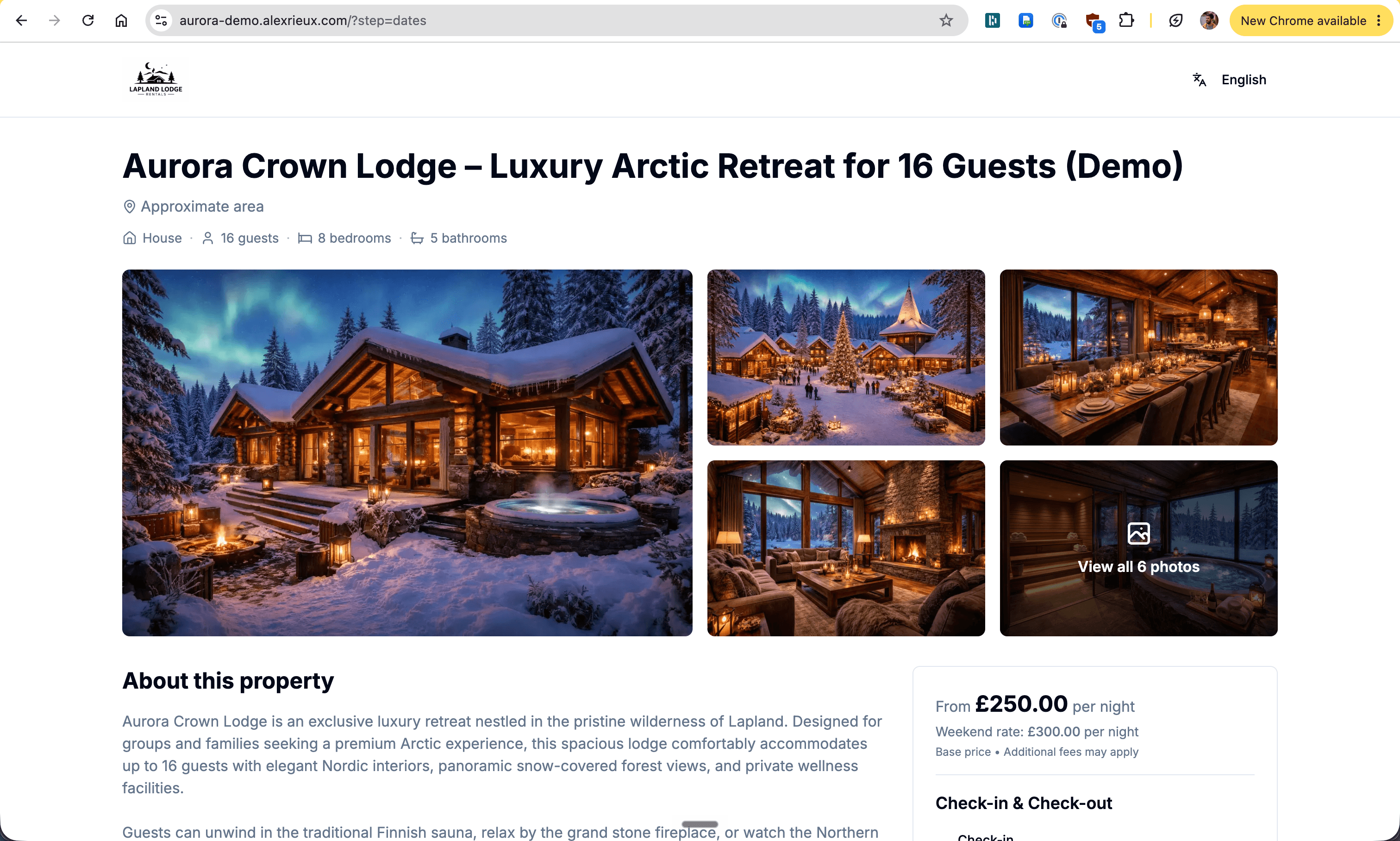
Public page on your own domain
The same standalone booking page, but at a domain you own — like book.yourcottage.com — instead of a shared daylet.com link.
- Point a subdomain you already own at your booking page
- SSL is set up automatically once your DNS record is verified
- Guests see your domain in the address bar, not daylet.com
Best for: a fully-branded booking page without building a website
API integration
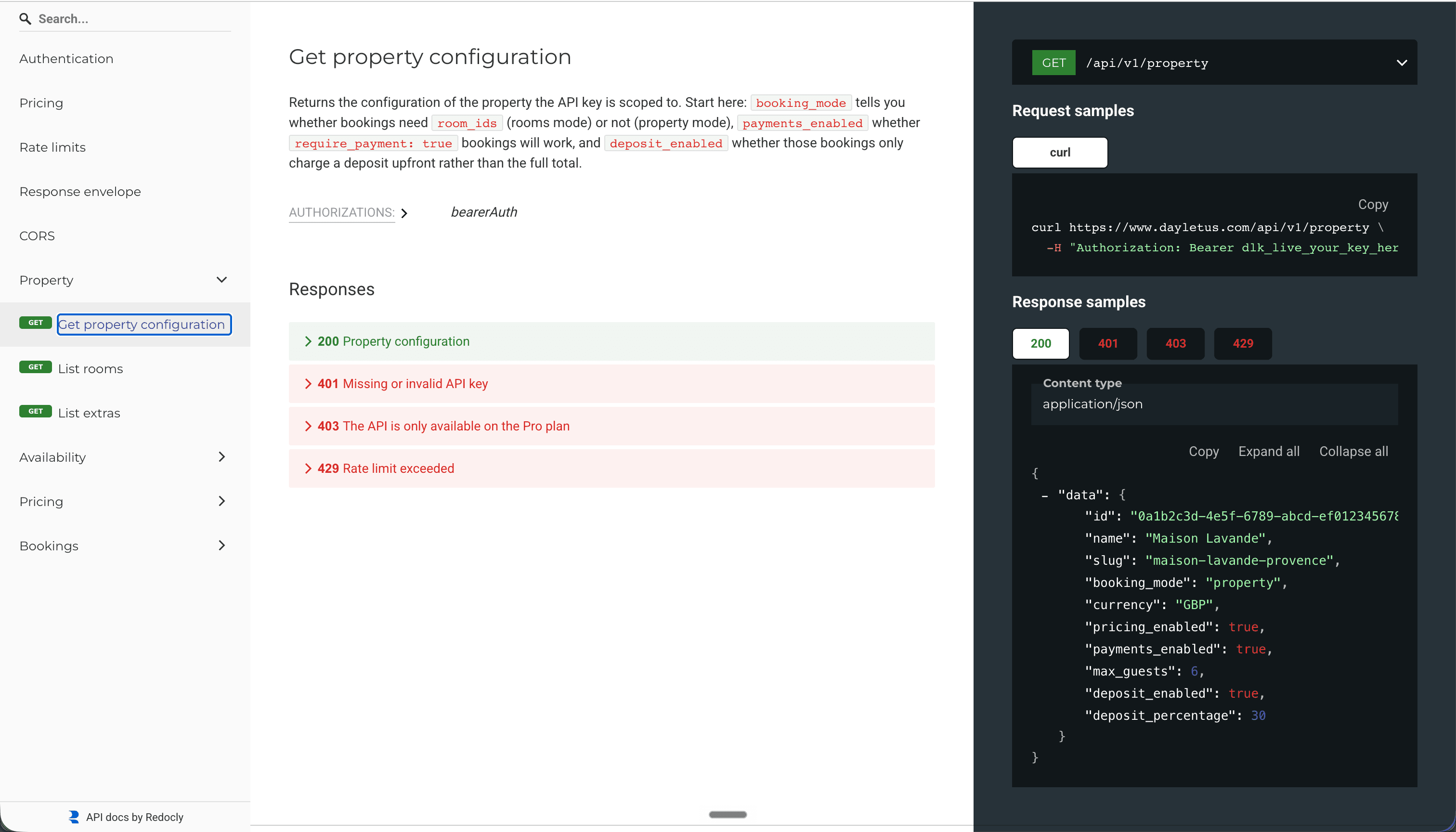
A REST API to check availability, fetch prices, and create bookings from your own code — for a booking flow the four options above don't cover.
- Read live availability and pricing
- Create and manage bookings programmatically
- 10,000 calls a month included on the Pro plan
Best for: developers building a fully custom booking experience
Compare the five options
All five read from the same calendar and dashboard — this is about where guests see it, not what they can book.
| Option | Setup | Best for |
|---|---|---|
| Iframe widget | Paste one script tag | Existing website, calendar inline |
| Floating button | Paste one script tag | Existing website, no layout change |
| Public page (daylet.com) | Nothing — live on publish | No website yet |
| Public page (your domain) | One DNS record, Pro plan | Fully-branded page, no website build |
| API | Developer time, Pro plan | Fully custom booking flow |
Frequently asked questions
Can I use more than one of these at once?▼
Yes. Most owners share the standalone page while also embedding the iframe or floating button on an existing site — all five read from the same calendar, so nothing gets out of sync.
Do I need a developer for any of these?▼
No, for four of the five — the iframe, floating button, and both public page options are copy-paste or dashboard setup. Only the API integration expects a developer, since it's meant for a fully custom booking flow.
What's the difference between the two public page options?▼
Both are the same standalone booking page with photos, pricing, and checkout. The only difference is the address: a shared daylet.com link, or your own domain (e.g. book.yoursite.com) on the Pro plan.
How do I set up a custom domain for my booking page?▼
From your dashboard's Integrations tab, add a subdomain you own and Daylet gives you a DNS record to create at your registrar. SSL is issued automatically once that record is verified.
Is the API included in every plan?▼
The API is available on the Pro plan, with 10,000 calls a month included across all your properties, then pay-as-you-go for heavier usage.
Which one should I start with?▼
If you don't have a website, start with the standalone public page — it's live the moment you publish. If you do, add the iframe or floating button to it; you can always add a custom domain or the API later.
Pick your integration, or use all five
Every option is free to start — 1 property, 5 bookings a year, no credit card required.
Free plan • No commission • Live in minutes