
Daylet for Wix websites

Add direct bookings to your Wix website

Keep the website you already have. Add a responsive booking calendar or a floating Book Now button, then manage availability, pricing and bookings in Daylet.

Free: 1 property and 5 bookings a year • No credit card required • Daylet never takes a cut

Two ways to add Daylet to Wix

Choose the version that fits your site. Both use the same Daylet availability and booking flow.

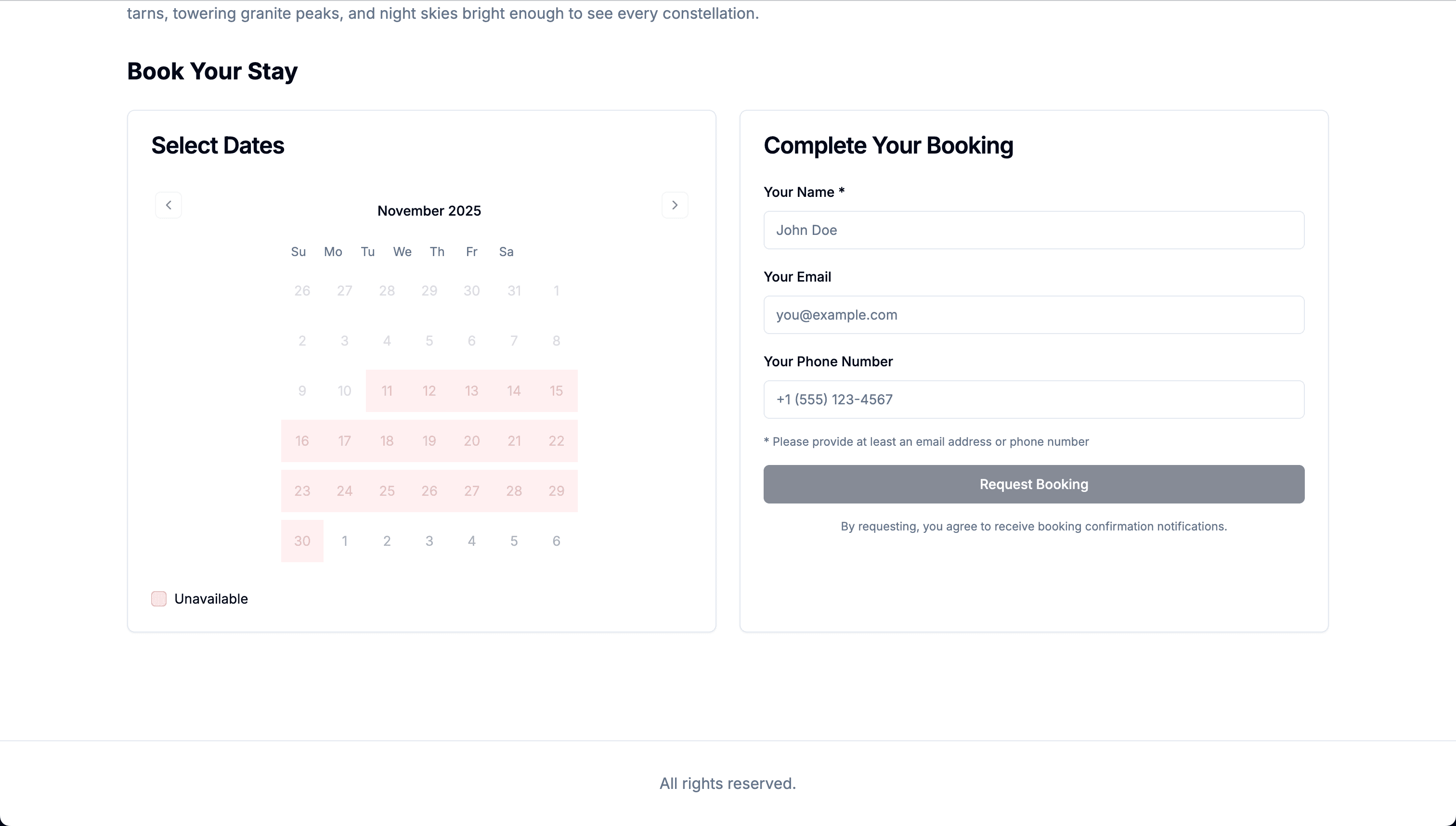
Inline Daylet booking calendar for a Wix website
Best for a booking page

Inline booking calendar

Place the full booking experience inside a Wix page using an HTML embed. Guests choose dates, rooms and extras without searching for a separate booking link.

  • Responsive calendar for desktop and mobile
  • Live availability and pricing
  • Room, extra and Stripe checkout support
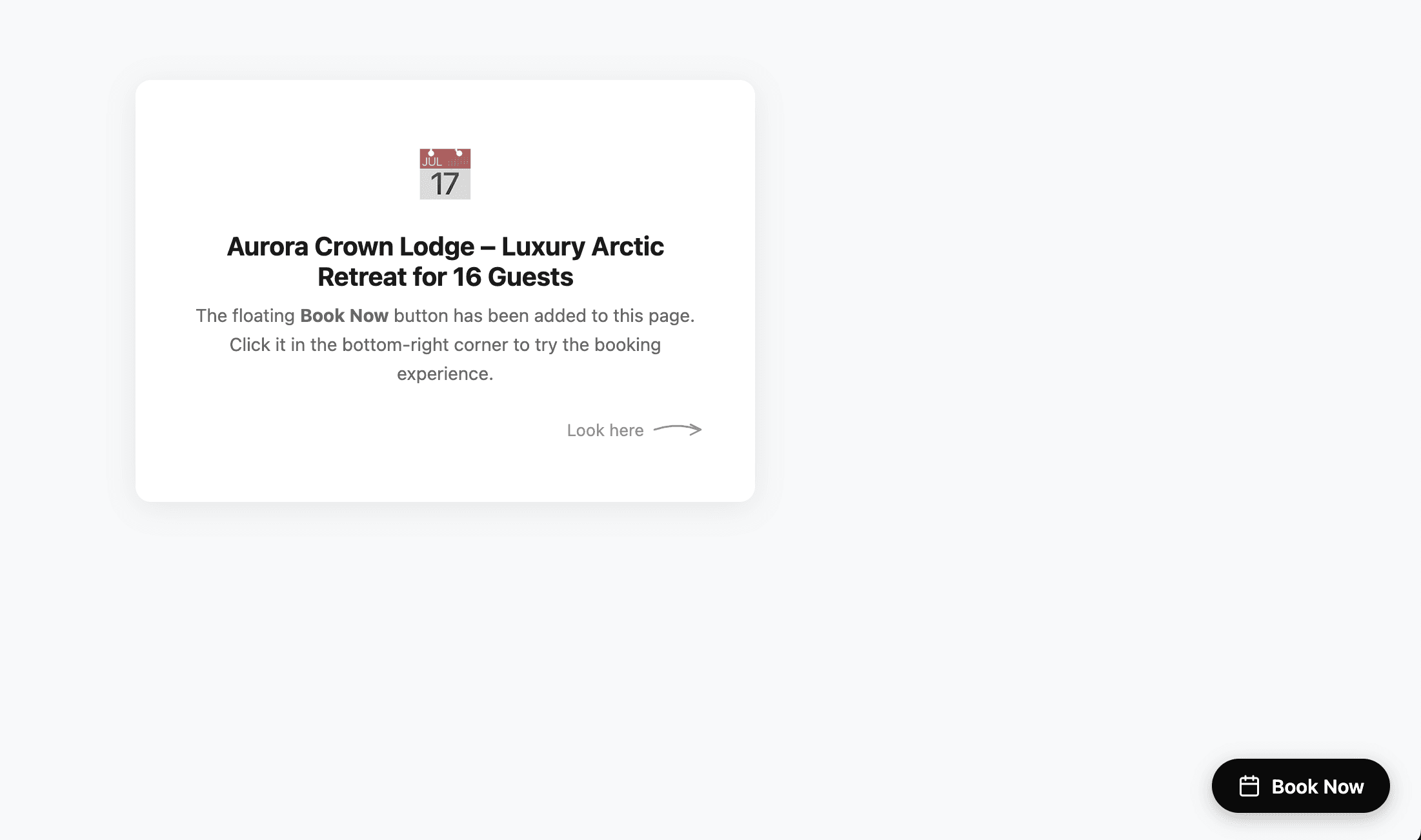
Floating Book Now button on a Wix website
Best across your whole site

Floating Book Now button

Add one button across your Wix site. It opens the Daylet booking experience over the current page, so guests can book from wherever they are browsing.

  • Visible across the pages you choose
  • Full-screen booking flow on mobile
  • Button label can match your site language

How to install your Wix booking widget

Create your property in Daylet first, then copy the matching code from Properties → Integrations.

Add the inline calendar

Use Wix's HTML embed element for a dedicated booking page.

  1. 1
    Step 1

    In Daylet, open your property and copy its iframe embed code.

  2. 2
    Step 2

    In the Wix editor, add Embed Code → Embed HTML to your booking page.

  3. 3
    Step 3

    Paste the Daylet iframe code and stretch the element to the full content width.

  4. 4
    Step 4

    Preview the desktop and mobile layouts, then publish your Wix site.

Give the embed enough vertical space in Wix so the complete booking flow remains easy to use.

Add the floating button

Use Wix Custom Code when you want one Book Now button across multiple pages.

  1. 1
    Step 1

    In Daylet, copy the floating button script for your property or property group.

  2. 2
    Step 2

    In your Wix dashboard, open Settings → Custom Code and add the script to the body end.

  3. 3
    Step 3

    Choose the pages where the button should appear and apply the code once per page.

  4. 4
    Step 4

    Publish the site and complete a test booking on desktop and mobile.

Wix may require a paid site plan and connected domain to use Custom Code. If it is unavailable, use the inline calendar instead.

Your Wix site stays yours. Your bookings do too.

Keep your current website

No rebuild and no second website. Daylet adds the booking flow to the pages you already use.

Take payment through Stripe

Guests can pay during checkout and the money goes to your connected Stripe account.

Run alongside the OTAs

Import iCal calendars from Airbnb and Booking.com on Pro, and export Daylet bookings back to your channels.

Built for independent properties, not hotel front desks

Daylet suits holiday lets, cottages, gîtes, B&Bs and small properties that need a direct booking channel. It is not a native Wix App Market app or a full hotel front-desk system for walk-ins, housekeeping and enterprise operations.

Wix booking widget questions

Is Daylet a native Wix app?+

No. Daylet is an independent booking engine that you embed into your Wix site. You manage your properties and bookings in Daylet, while guests book from your Wix pages.

Do I need a developer to add Daylet to Wix?+

No. The inline calendar uses Wix's HTML embed element, and the floating button uses Wix Custom Code. Both are copy-and-paste installations.

Can guests pay when they book?+

Yes. Connect Stripe in Daylet to collect full payment or a deposit during checkout. Daylet never takes a commission from the booking.

Can I connect Airbnb and Booking.com calendars?+

Yes, on Pro. Daylet can import their iCal feeds and provide an export feed for confirmed Daylet bookings and manual date blocks. iCal updates are not instant, so you should still review availability before accepting overlapping requests.

Will the booking widget work on mobile?+

Yes. The booking experience is responsive. Preview your Wix mobile layout before publishing to confirm the embed height and surrounding page spacing suit your design.

Put direct bookings on your Wix site

Create your property, copy your Wix embed and take up to five bookings a year free.

    Wix booking widget for holiday lets | Daylet