 Daylet

You have a website for your holiday let. Guests find it, look at the photos, then email to ask if a week is free. You check 3 calendars, reply, wait for an answer, and chase a bank transfer.
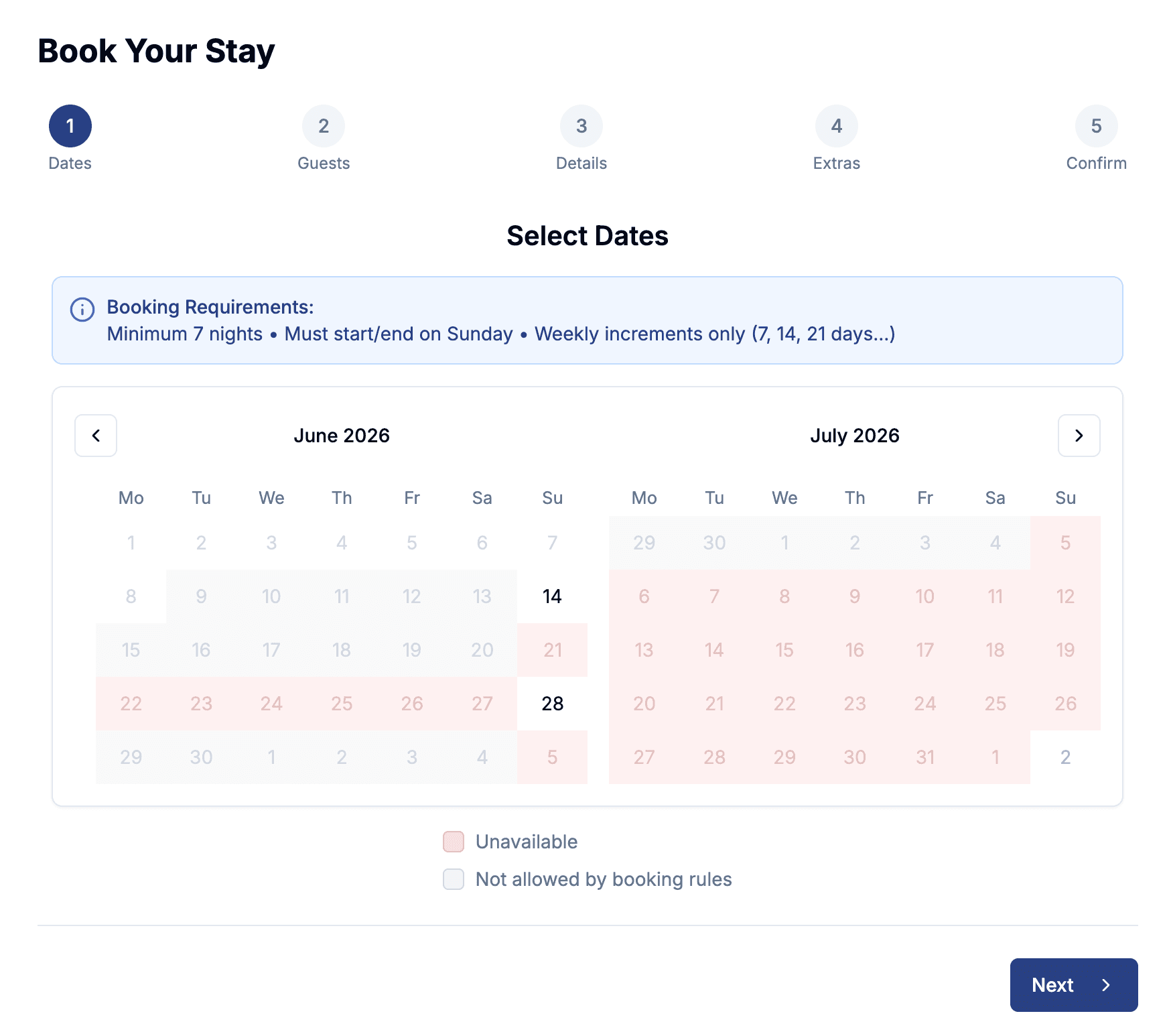
A booking calendar on the site does that work for you. Guests see which dates are free, pick their stay, see the price and book. You get an email with the booking.
This guide covers the 3 ways to add one, the steps for Wix, WordPress, Squarespace and Systeme.io, and how to keep it in step with Airbnb and Booking.com.
What a booking calendar on your website needs to do
A calendar that only shows dates isn't enough. Guests still have to message you, and you still do the admin. A working booking calendar does 4 things:
- Shows live availability. Booked and blocked dates are greyed out, including stays booked on Airbnb or Booking.com.
- Shows the price. Nightly rates, seasonal prices, cleaning fees and extras, added up before the guest commits.
- Takes the booking. Dates, number of guests and contact details, within your rules: minimum stay, changeover days, weekly stays only.
- Takes payment. A card payment at booking, paid into your own account.
If yours does the first one only, you have an availability calendar, not a booking calendar.
3 ways to add a booking calendar
All 3 read from the same Daylet calendar, prices and bookings, so you can use more than one at a time.
1. A booking link
Every property in Daylet gets its own booking page, with photos, prices, availability and checkout. It's live as soon as you publish the property, at an address like dayletus.com/properties/your-cottage.
Put the link behind a "Book now" button on your site, on your Google Business Profile, in your Instagram bio and in your emails to past guests. On Pro, you can move the page to a subdomain you own, such as book.yourcottage.co.uk.
Best for: a site that won't accept code, or no website at all. Here is a live booking page to see what guests get.
2. An inline booking calendar
The full booking flow sits inside a page of your site. Guests pick dates, see the price and book without leaving it.
In Daylet, open your property, go to the Integrations tab and copy the iframe code. It looks like this, with your property's name in place of your-cottage:
<script src="https://www.dayletus.com/daylet-embed.js"></script>
<iframe
  src="https://www.dayletus.com/embed/your-cottage"
  data-daylet-embed
  style="width: 100%; border: none;"
></iframe>
The first line resizes the calendar to fit its content, so guests don't scroll inside a small box.
Best for: a dedicated "Book" or "Availability" page.
3. A floating Book Now button
One script tag adds a Book Now button to the corner of your pages. A guest clicks it and the booking calendar opens over the page they're reading.
<script
  src="https://www.dayletus.com/daylet-widget.js"
  data-property="your-cottage"
  data-label="Book Now"
></script>
Change data-label to match your site's language, for example "Réserver". Add data-color to match the button to your site's colours.
Best for: booking from every page, without changing your design.
Which one to pick
| Option | Setup | Code | Best for |
|---|---|---|---|
| Booking link | Nothing: live when you publish | None | No website, or a site that blocks code |
| Inline calendar | Paste 2 lines into a page | Copy-paste | A dedicated booking page |
| Book Now button | Paste 1 line, once for the site | Copy-paste | Booking from any page, no layout change |
Most owners start with the booking link, then add the inline calendar or the button once the site is ready. Developers can also build a custom flow on the API, on Pro. All the options are on the booking widget and integrations page.
Step by step, by website builder
Website builders limit what code you can paste, and the limits depend on your plan. If your plan doesn't allow custom code, link a normal button to your Daylet booking page instead. That works on every plan.
Wix
Inline calendar:
- In Daylet, open your property, go to Integrations and copy the iframe code.
- In the Wix editor, add Embed Code → Embed HTML to your booking page.
- Paste the code and stretch the element to the full content width. Give it plenty of height.
- Preview on desktop and mobile, then publish.
Book Now button:
- In Daylet, copy the floating button script from Integrations.
- In your Wix dashboard, open Settings → Custom Code and add the script to the end of the body.
- Choose the pages that show the button, then publish.
Wix may ask for a paid site plan and a connected domain before it allows Custom Code. The Wix booking widget guide has the full steps.
WordPress
- Open the page in the block editor and add a Custom HTML block.
- Paste the iframe code for the inline calendar, or the button script.
- Preview, then update the page.
On a self-hosted WordPress site, this works with any theme. WordPress.com strips scripts and iframes on its lower plans, so check that yours allows custom code. If the code vanishes after you save, that's why: add a Buttons block that links to your booking page instead.
Squarespace
- Edit the page, add a Code block and paste the iframe code.
- For the button on every page, paste the script into Code Injection, in the footer field.
- Save, then check the page in a private browser window.
Squarespace doesn't run scripts or iframes in Code blocks on its entry-level plan. If nothing shows, link a Button block to your booking page.
Systeme.io
- In the page editor, drag a Raw HTML element onto the page.
- Click it, choose Edit code and paste the iframe code or the button script.
- Save and preview.
Some Systeme.io page types don't offer the Raw HTML element. If you can't find it, use a button linked to your booking page.
Any other website
Paste the iframe code where the calendar should appear. Paste the button script right before the closing </body> tag, or wherever your site accepts custom code. If someone else built your site, send them this page and the two snippets.
Keep it in step with Airbnb and Booking.com
If you also list on Airbnb or Booking.com, your website calendar has to know about those bookings. Otherwise a guest can pick dates that are already gone.
Daylet uses iCal links for this, on the Pro plan:
- Import: paste your Airbnb and Booking.com calendar links into Daylet. Daylet checks them frequently throughout the day and blocks the booked dates.
- Export: add your Daylet calendar link to Airbnb and Booking.com, so direct bookings and dates you block by hand close there too.
iCal isn't instant, and Airbnb and Booking.com decide how often they read your Daylet calendar. For a last-minute booking, block the dates in Daylet straight away. The calendar sync guide has the full steps, and the Airbnb iCal guide shows where to find your Airbnb link. On the Free plan, block your Airbnb dates by hand.
Test it before you share it
Before the link goes in front of guests:
- Go through a booking on your phone and on a laptop, up to the payment step.
- Check the total matches what you expect, with cleaning fees and extras.
- Pick a date that's booked on Airbnb and check it shows as unavailable.
- Check your minimum stay and changeover days work the way you set them.
- Open the booking page in a private window, so you see what a guest sees.
What it costs
Daylet charges a flat subscription. It never takes a cut of your bookings.
The Free plan covers 1 property and 5 bookings a year, with the booking page, the inline calendar and the Book Now button. Card payments at booking, calendar imports and custom domains are on Pro, at an early price of £12 a month that rises to £20 later. Card payments go into your own Stripe account, at Stripe's standard fees. See the pricing page for the full comparison.
FAQ
How do I add a booking calendar to my holiday let website?
Create your property in Daylet, then pick one of 3 options. Share the booking link from a button on your site, paste the iframe code into a page for an inline calendar, or paste one script tag for a floating Book Now button. All 3 show live availability and prices, and take the booking.
Can I add a booking calendar without a developer?
Yes. The booking link needs no code at all, and the inline calendar and the Book Now button are copy and paste. You only need a developer for a custom booking flow built on the API.
Will the calendar on my website stay in sync with Airbnb?
On Pro, yes, through iCal. Daylet imports your Airbnb and Booking.com calendars and checks them frequently throughout the day. It also gives you a calendar link to add to Airbnb, so direct bookings close those dates there. iCal isn't instant, so block last-minute bookings in Daylet straight away too.
Why doesn't the embed code work on my website builder?
Usually because your plan doesn't allow custom code. WordPress.com, Squarespace and Wix all limit scripts or iframes on some plans. Link a normal button to your Daylet booking page instead: it works on every plan.
Is there a free booking widget for a holiday let website?
Yes. Daylet's Free plan includes the booking page, the inline calendar and the Book Now button for 1 property and up to 5 bookings a year, with no commission.
Summary
A booking calendar on your website lets guests check dates, see the price and book without emailing you. Daylet gives you 3 ways to add one: a booking link that needs no website, an inline calendar for a booking page, and a Book Now button for every page.
Start with the link today. Add the calendar or the button when your site is ready, and connect your Airbnb and Booking.com calendars so the dates stay right. Get started free.
Ready to take direct bookings?
Set up your booking page in an afternoon — and keep more of every stay.
No credit card required